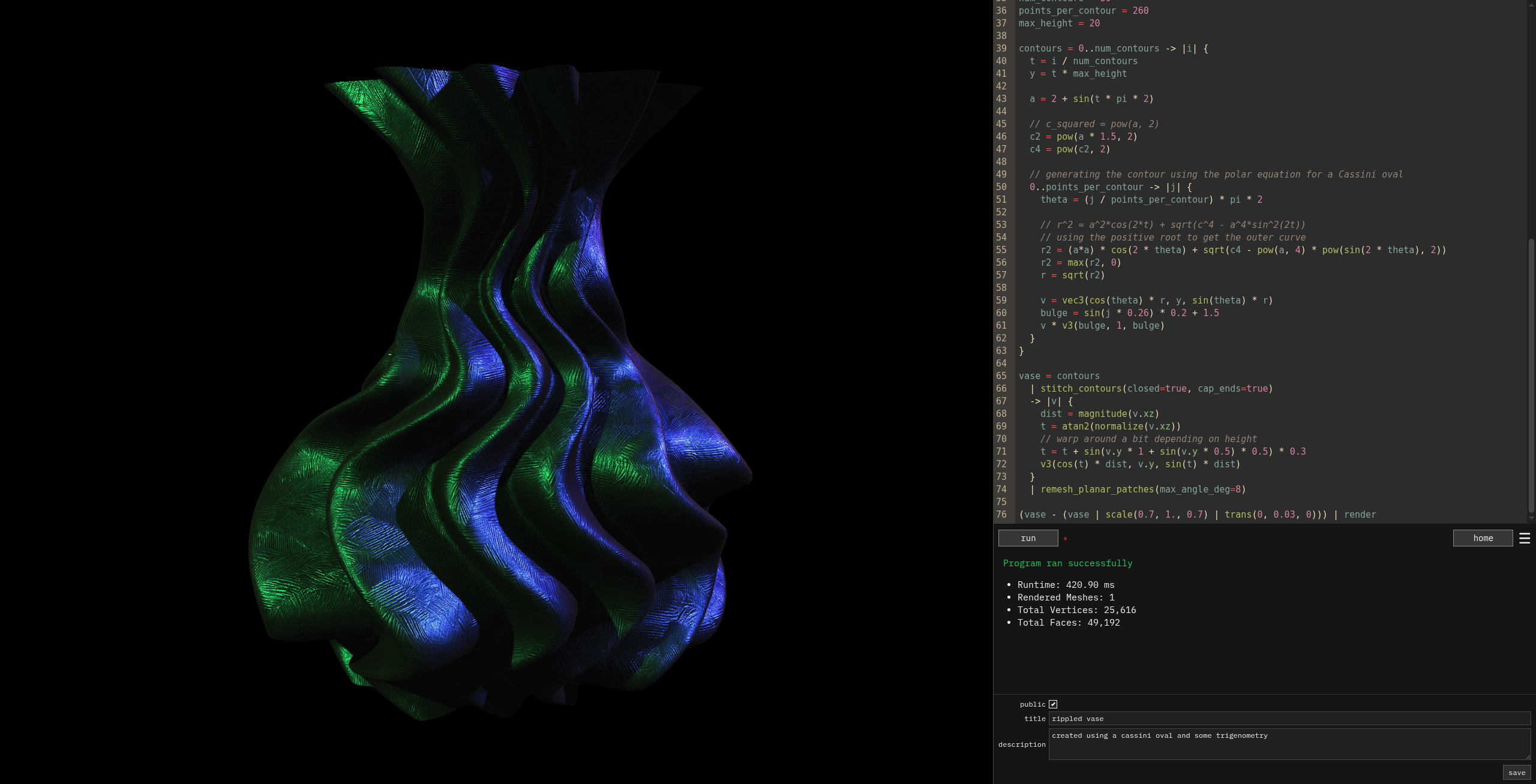
For the past several months, I’ve been working on a programming language called Geoscript. It’s specialized for generating and manipulating 3D geometry for use in a Shadertoy-inspired web app called Geotoy.

Misc. notes, code, and other content I want to post publicly that don’t warrant a full blog post
For the past several months, I’ve been working on a programming language called Geoscript. It’s specialized for generating and manipulating 3D geometry for use in a Shadertoy-inspired web app called Geotoy.

I maintain the three-good-godrays library, which adds support for volumetric raymarched screen-space godrays to Three.JS.
The most recent version of Three.JS (0.182.0) made some breaking changes to its depth packing and shadow internals that the library relied on, and it needed to be updated in order to work with it. I figured I’d create a little summary of what changes were needed for anyone else updating similar code for newer Three.JS versions.

I recently had a desire to convert text to 3D meshes that I could render and manipulate as part of my Geotoy project and Geoscript language. I did some research into tools and libraries that could solve different pieces of this, and I put together a pipeline that implements the whole thing - yielding nice, 2-manifold 3D meshes with arbitrary fonts, text styles, and more.
I was working on optimizing some WebAssembly, and wanted to use the Linux perf utility to profile Google Chrome to analyze where the most time was getting spent in my code at the assembly level.
I was following a guide to do this: https://v8.dev/docs/linux-perf
There is one step that involves processing some artifacts generated during the profiling process. This involves running the following command:
perf inject --jit --input=perf.data --output=perf.data.jitted;
When I ran this command, it would start but then hang indefinitely. It seemed to be making no progress even after several minutes of running, and there was no noticeable CPU activity to indicate it was doing work.
Here is an account of the process I developed to get the boundary-first-flattening library building for use on the web via WebAssembly.
Boundary First Flattening (I refer to it as BFF throughout this article) is a powerful algorithm and library for “surface parameterization” - or projecting 3D surfaces into 2D. It also includes built-in support for other parts of a full UV unwrapping pipeline like bin-packing texture islands into a square. I was using it for my Geotoy project - a browser-based, Shadertoy-inspired web app for procedural geometry.
Well, here’s another chapter in the saga of graphics and GPU issues with Google Chrome on Linux.
I have a 7900 XTX GPU, and I think at least part of these issues are a result of AMD GPU drivers being pretty messed up on Linux.
One day after updating my packages and rebooting my system, WebGL web apps were running at very low FPS in my Google Chrome browser. It was really slow - like sub-10 FPS when I usually get 165.
fetch error ERR_SSL_WRONG_VERSION_NUMBER with NGINX reverse proxy
I am using SvelteKit and importing a WebAssembly module on the server side inside a +page.server.ts file like this:
const WasmPromise = import('src/viz/wasmComp/geoscript_repl').then(
async (engine) => {
await engine.default(fetch('/geoscript_repl_bg.wasm'));
return engine;
}
);
It works when I run for local development, but it fails when running on my VPS in production. Some notes about my deployment environment:
adapter-nodeThis Wasm module as built using wasm-bindgen for Rust, and it needs the path to the Wasm to be explicitly provided since it’s running on the server side rather than the client.
I was recently working with some Postgres tables that have an ltree column. I had written tests for my new feature that made use of them and all the tests passed locally.
However, the tests were failing in CI with a vague error:
ERROR: ltree syntax error at character 9 (SQLSTATE 42601)
The query that was producing this error was quite simple as well:
INSERT INTO "my_table" ("path","value") VALUES ('22e8f4e1-437f-448b-a8fb-0d7fbed8de7a','foo')
In this case, the path column was of type ltree. Running that exact query locally worked fine and I was confused as to why it wasn’t working in CI.
I have two monitors: my main one at 165hz and a side monitor at 60hz. When I first boot up my computer, I’m able to run web-based games and visualizations at full 165hz on my main monitor.
However, after I turn my monitors off for the night and then get back on the next morning, all my WebGL-based applications are locked to 60 FPS or lower (and they feel stuttery and generally worse than even what I’d expect from stable 60 FPS)
I dual-boot multiple Linux installs along with Windows. At some point, possibly coinciding with an update to one of my Linux installs, my Windows partition failed to boot with a bluescreen error showing a WHEA_UNCORRECTABLE_ERROR error message. I tried booting multiple times with no success.
Most info I found online about this error seemed to indicate that it was related to hardware issues, but I hadn’t made any hardware changes recently and my Linux installs continued to boot and work fine.